Import of DXF file
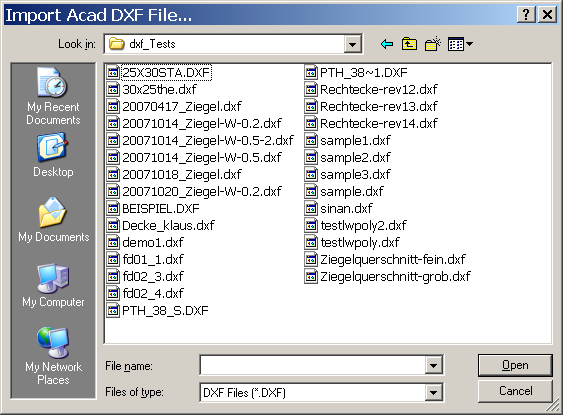
If there is a construction available as a DXF file (e.g. created with AutoCAD® or other CAD application), it can be easily imported and used as a template for creation of a two dimensional component model .
Only specifically prepared DXF files can be imported. Only if a DXF file conforms to specific criteria it can be imported into AnTherm.
To start the DXF file import, select the men File→Import→Acad-DXF.
The file browser shown provides the ability to search for DXF files. Select the DXF file to import and press "Open" or double click onto the file requested.
From AnTherm version 10.137 there is the possibility to import several DXF files into an existing project.
The DXF file is read in and all polylines are processed.
Prior to actual conversion you will be shown an import settings dialog.
The import settings dialog is used to control how the contents of the DXF file imported are interpreted by AnTherm.
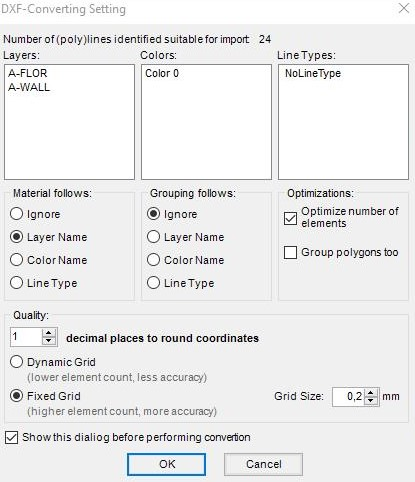 You shall define by which attribute materials or conductivities shall be
identified: either by layer name, the colour or the line type of each respective
polyline. If no specific material grouping has been defined during creation of
the DXF file, select "ignore".
You shall define by which attribute materials or conductivities shall be
identified: either by layer name, the colour or the line type of each respective
polyline. If no specific material grouping has been defined during creation of
the DXF file, select "ignore".
The dialog displays the count of polylines adequate for import (after the refine-step) and corresponding layer-, line- and colour names which shall be used for either material name assignment or grouping (if there are no line types or layer names defined within the DXF file "NoLineType" or "NoLayerName" is used).
If the DXF file has been created with component grouping in mind also, then you can select this criteria within the block "group by".
The setting "optimize number of elements" shall be left checked in most cases. The number of elements resulting from the conversion and transferred to AnTherm will be kept as small as possible by merging resulting elements if applicable.
Check the field „Group polygons too“ only, and only then, if component areas surrounded by polylines within the DXF file shall be interpreted as component groups also.
Select the lowest number of decimal places sufficient to precisely read and interpret the geometry saved within the DXF file.
Press "Ok" to initiate the import of polylines and convert them to elements.
Concluding the import of geometry data you will be asked if material properties of materials currently stored in the material's list shall be applied (replaced) by name on all elements of the imported model.
Remark: One shall also include spaces, power sources etc. within the file to be imported and change the type of resulting elements later. Remark: Starting from Version 10 you have the possibility to import several 2D-DXF files into an existing project. Therefor position the imported elements by using "Transform / Move“, „Rotate / Window“, or by holding down the Ctrl key, the left mouse button and by dragging the mouse to move multiple elements.
Post processing of imported data
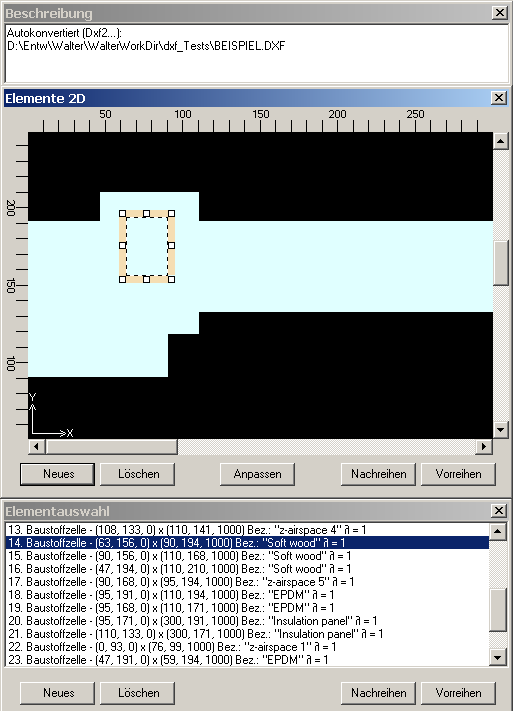
Because the imported DXF file provides only geometry data and naming of materials and groups, the data of the imported model must be post processed prior to further computations.
Post processing steps:
-
Enter the text of project description.
-
Define spaces (boundary conditions).
Typical CAD drawings contain only the component but lack location of attached spaces. Location of spaces connected to the model must be defined manually.
Hint: The quickest possibility to add spaces is by inserting space elements at the top of element list, thus letting all other (imported) elements to overlap them accordingly.
-
Entry of heat conductance for materials.
During import only material names are provided by the DXF file.
See also: Replace Materials on All Elements (within the Materials window)
Remark: The order in which polylines are stored in (and thus also
imported from) DXF file does not follow the order they have been input within
CAD application.
Due to the fact, that elements imported will follow the order of polylines as
they are stored within the DXF file, we advise you not to use
element
(nor polyline) overlapping
! If necessary you will make the use of
reordering functions (promote or relegate)
of elements
to reach needed overlapping effects.
Remark: If the import from a DXF file is not successful an error message will be shown. The resulting AnTherm project will be empty.
See also: Requirements related to DXF file , Element selection window , Materials window, Editing windows (Input windows)